Jale guides your journey while recording the road ahead, making it the perfect companion for everyday city driving. If something happens, tap Save last minute and that clip is kept.
checkStays on your phone, deleted after 48 hours
checkReplay any drive on a map or timeline
checkShare a video with time, speed and road on it
Share and talk
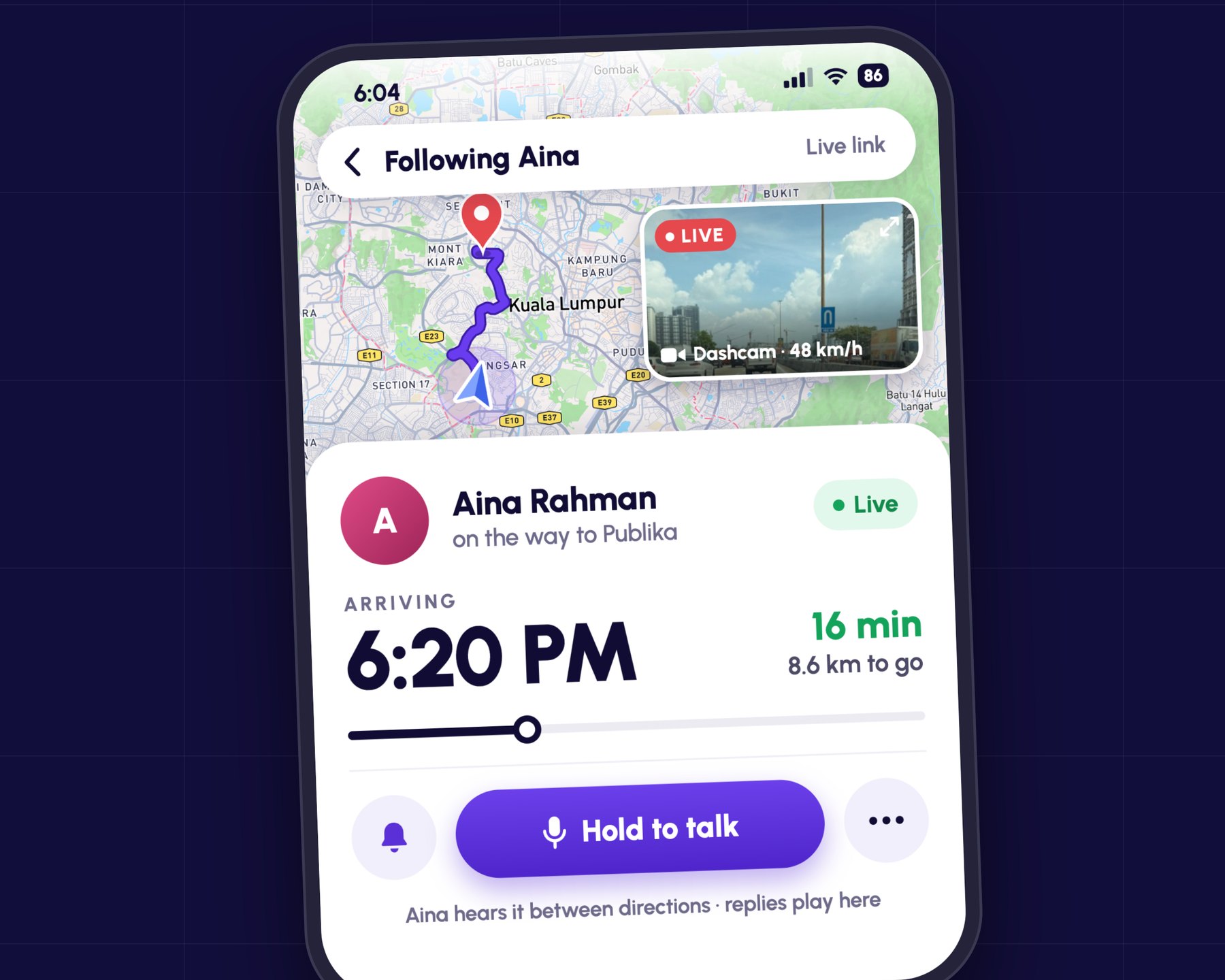
Family can watch you arrive.
Send a live link on WhatsApp. If you allow it, they can see the road through your dashcam and hold to talk. You hear them between directions and reply just by speaking.
checkTalk and dashcam are off until you switch them on
checkAsk me first, mute or remove anyone
checkEverything is deleted when the drive ends
Meta glasses
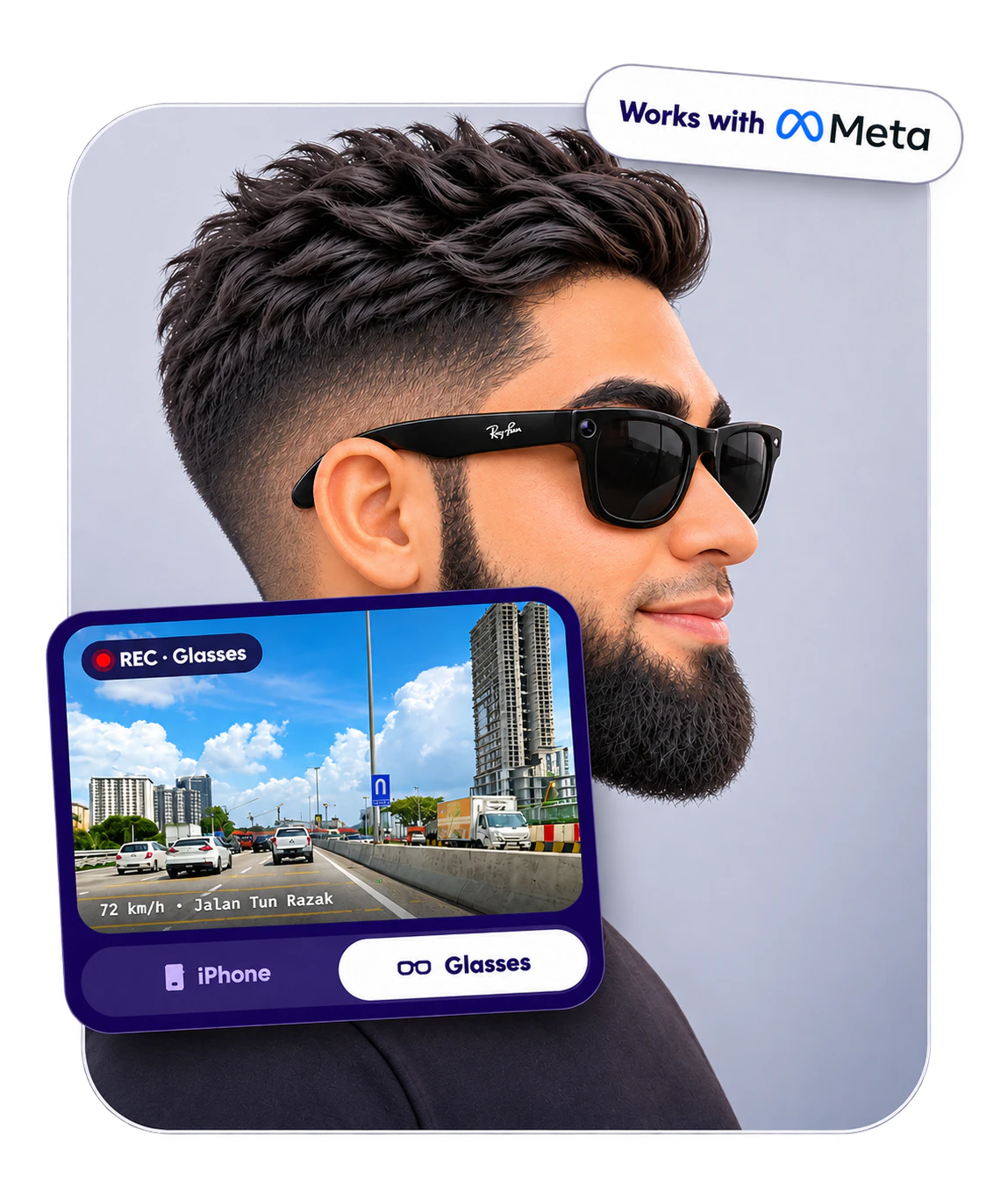
Your glasses can be the dashcam too.
Connect Ray-Ban Meta or Oakley Meta glasses and Jale records what you see while it guides you. No phone mount pointed at the road.
checkSave last minute, clips and replays work the same
checkFamily following your drive see the live view from your glasses
checkLow battery, too hot or taken off? The iPhone carries on recording
link01Connect
In Settings → Dashcam, pick Glasses and tap Connect. The Meta AI app opens to confirm, then brings you back.
photo_camera02Allow the camera
Let Jale use the glasses’ camera. You only do this once, before you drive.
directions_car03Put them on and drive
Jale starts recording from your glasses with the trip. Switch between iPhone and Glasses on the live view any time.
Needs the Meta AI app. Filming uses the glasses’ battery quickly. Sound comes from your iPhone’s microphone.
EME meterWide awake
YawningHeavy blinkingNodding
local_cafe
Time for a break?Tap Stop to rest. Jale adds the next R&R.
Stop
EMEPowered · Eye my Eyes technology
Sleepy? EME notices first.
EME is Jale’s Eye my Eyes technology. The front camera watches your eyes while you drive, and the EME meter on the map shows how alert you are. Start to nod off and Jale tells you, then finds you somewhere to stop.
checkEyes shut for 2 seconds sets off an alarm
checkA reminder to rest after two hours on the road
checkWorked out on your phone. The picture is never saved or sent
visibility01EME learns your eyes
In the first minutes of a drive, EME learns how your eyes look when you’re wide awake.
bedtime02EME spots the signs
Yawning, heavy blinking and nodding fill the meter. Three yawns in a few minutes and Jale speaks up.
local_cafe03EME finds you a stop
Tap Stop to rest and the next R&R or petrol station is added to your route.
EME runs on iPhone and Android, and on the car companion during CarPlay and Android Auto drives. It helps you notice tiredness; it can’t keep you awake.
Ready whenyou are.
Your first scored drive comes with 50 welcome points. Download Jale on the App Store or Google Play.






 00:04:12 · 58 km/h